













Select which Help Center you need



From PDF Drawings to Connected Quantities
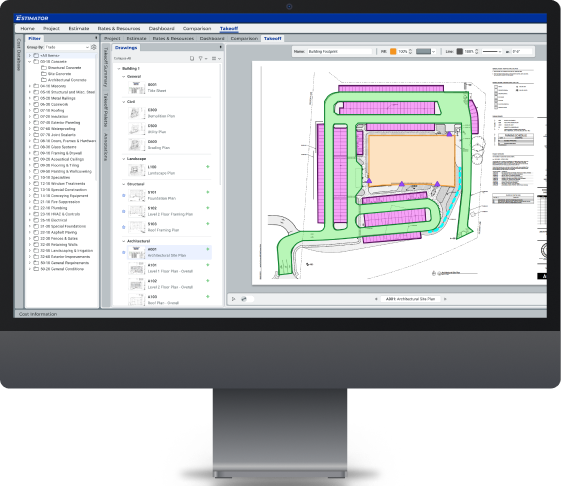
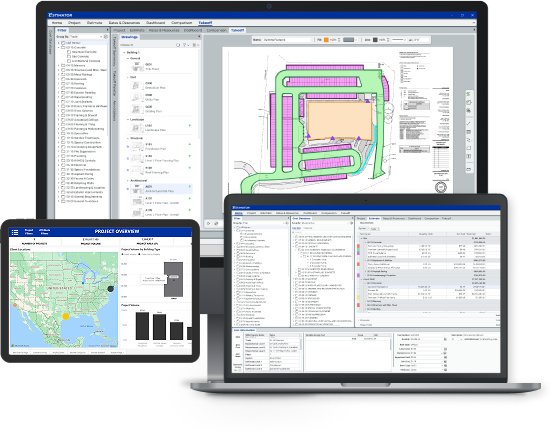
DESTINI AI Takeoff uses image recognition and text analysis to accelerate quantity generation from plan files, then carries those quantities into DESTINI workflows so teams can review, validate, and estimate with less rework.
See It in Action
Request a Demo

See How AI Takeoff Connects to Your Estimate
Key Benefits

Connected Quantity Data
Move takeoff quantities into DESTINI estimating workflows without exports, duplicate entry, or disconnected spreadsheets.

AI-Assisted Speed
Use AI to detect, measure, count, and organize drawing information faster so estimators can spend more time reviewing scope, cost, and risk.

Estimator-Controlled Accuracy
Keep experts in control with reviewable quantities, validation workflows, and the ability to confirm results before they impact the estimate.

One Preconstruction Workflow
Connect takeoff, estimating, cost data, bid leveling, and reporting in the DESTINI platform so project data stays aligned from drawings to decisions.

Audit-Ready Collaboration
Share takeoff and estimate data across teams with version history, review context, and traceable decisions that support accountability.
Testimonial


“"This is going to completely replace OST. I have been around a long time and I have seen products that change the business. This is one of those tools."
Steve Jaeger
Senior Preconstruction Manager, Columbia

“"There was a sea change with OST back in the early 2000s that changed everything. This is going to be another one of those eras where everything changes."
Chris Reeder
Preconstruction Technology Manager, Brasfield & Gorrie
.png)
“"Whether you're a small GC without a tech stack or an estimator looking for a faster way to produce takeoffs, this standalone AI tool gets the job done."
Alberta Flores
Preconstruction Manager
Schedule a demo and try your first takeoff in minutes
See how AI-assisted takeoff connects directly into DESTINI estimating workflows so your team can reduce manual effort, preserve context, and make more confident decisions.